
I wanted to create a home-lab. Something that would allow me an opportunity to test out whatever it is I’m learning. So I purchased some refurb Dell server and found that after an install of Linux the dual CPUs were being utilized at 80%. So…I returned it. Lost some money on it but then decided, it was a good opportunity to just build one. So I spent some more money and put together a basic hybrid-home server. I ended up looking for a rack-mountable 4U chassis (I probably won’t go this route again unless I build a 1U dedicated server) and used PCPartPicker.com to speed up the choice of internal hardware.

Hardware
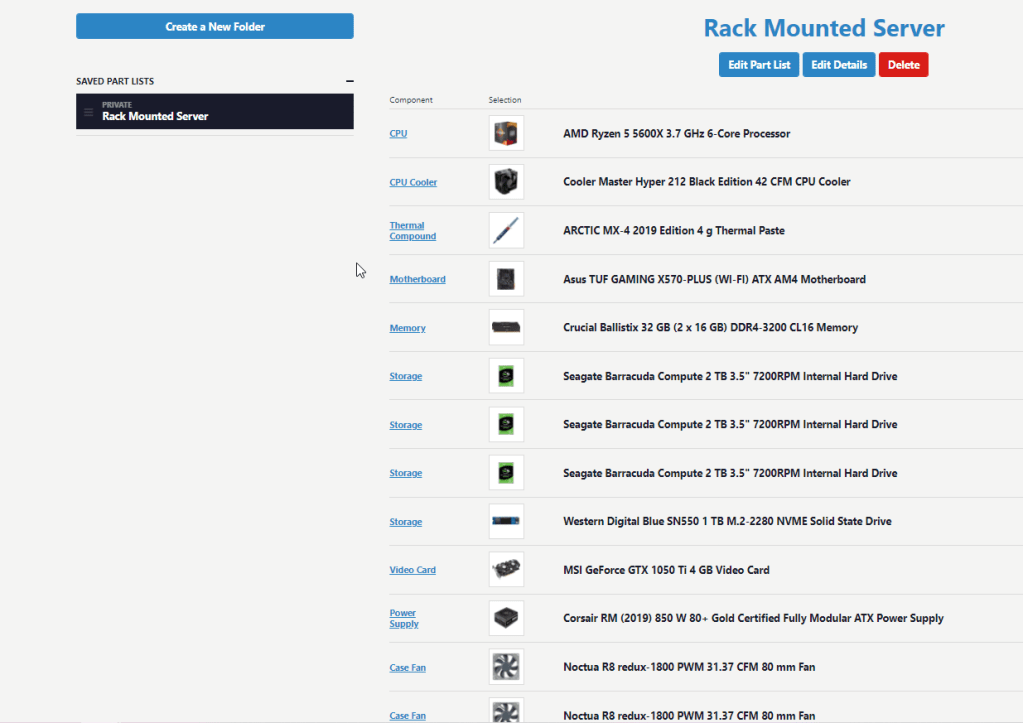
I tend to be very practical so wanted something that could be converted for other uses if necessary. So I created my own “saved parts list” in PCPartPicker so I could keep track of what I ended up putting in it and then began buying the parts. I ended up setting it up on an AMD Ryzen 5 5600x 3.7 GHz 6 core processor, 32 GB of DDR-4 3200 RAM, and an MSI GeForce GTX 1050 Ti 4 GB Video Card (I know, not top of the line, but it’s a basic home lab).
OS and VMs
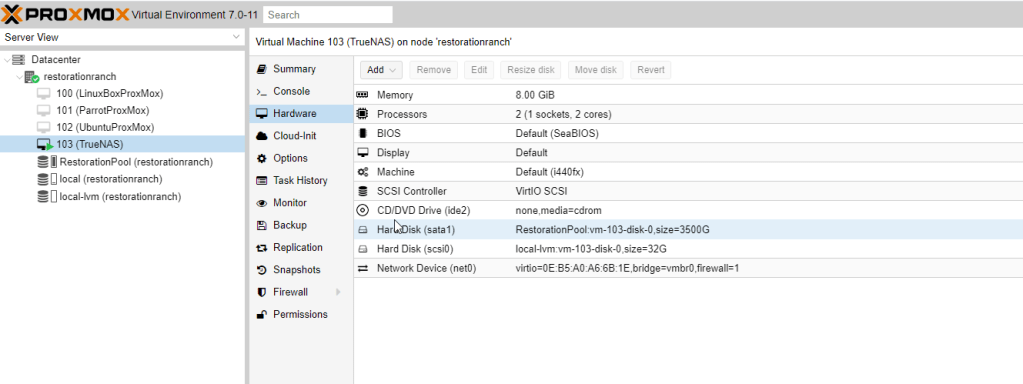
Once put together, I ended up deciding on running ProxMox. I’ve really enjoyed using ProxMox over a Linux distro or a Windows version. It’s got a learning curve of it’s own but I’ve invested enough hours into it to get the basics. I then setup a KaliLinux VM, an Ubuntu VM and a TrueNAS VM to have some stuff to play with.
I dug into TrueNAS once I got those setup. First major hurtle was setting up a software RAID configuration. I really like the setup of a RAID5 so attempted this on the Asus motherboard but it doesn’t seem to support RAID5. So I jumped into ProxMox and spent a ton of time figuring out how to get something similar to work. All my VMs were installing to the WD M.2 Solid State Drive and I was having a hard time figuring out how to get ProxMox to allow the configured RAID to be utilized by the VMs. The easiest solution was to create the VMs on the WD M.2 with small disk spaces and then use a storage container to act as another drive for the VM.
Once I got this figured out, I got started setting up TrueNAS. This was primarily just so that I could setup a Plex server but I eventually hope to set this up as a third backup for all my important documents. Getting TrueNAS setup was a breeze. It’s got a GUI that makes things pretty easy and there’s a decent amount of documentation. Once I got the Plex server setup (another easy setup), I found the hurtle I’ve had a hard time getting over.
The Problem
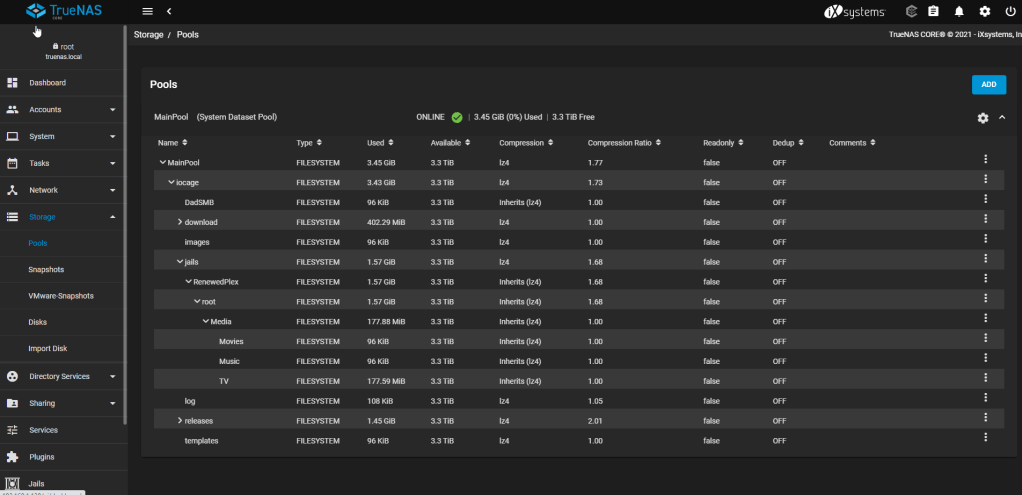
In order to get TrueNAS setup with enough storage to allow Plex Media Server to run, I had to setup a separate storage container for the three 2 TB hard drives that were setup in a Raidz (ZFS format). Once in the TrueNAS web interface, I got the Plex App running and even managed to get the storage pool setup; no problem there. I can create datasets to house the various media types.
I have even figured out how to get files from my Windows machine into those folders. Though this forced me to learn that it was easier to use TrueNAS’ Windows SMB share setup than it was trying to use the command prompt to get it all setup. If you’re not sure how to do this, see the video at the top of this post. It seems the shell for TrueNAS is a bit more limited than what I’m used to with Linux. So following tutorials like this one or this one, always left me missing a command, flag, or something that made it tough to setup. You can see in the pic below that TV has a file in it from my Windows machine already (note the size is 177.59 MiB as opposed to the 96 KiB of the empty Music and Movies directory). So, I eventually figured out a back way of doing it.
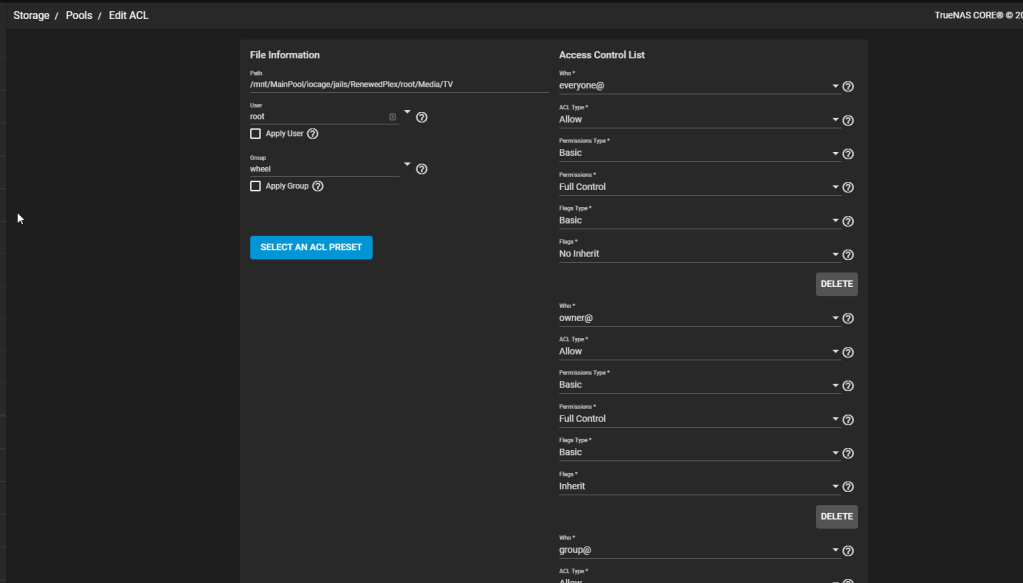
However, once in Plex, while I can add the folder (and even see the file itself inside the folder when adding it), Plex does not register the file. I’ve checked the Edit ACL section in TrueNAS to make sure it’s not a permissions issue with the folder (everyone has full control at this point including the owner and group). I’ve forced Plex to rescan the library. I’ve checked some settings in Plex. But it seems to me that if TrueNAS could see it, Plex can see even the file inside the folder when I add the folder, it should be able to pull in whatever it is I’m adding to that folder.
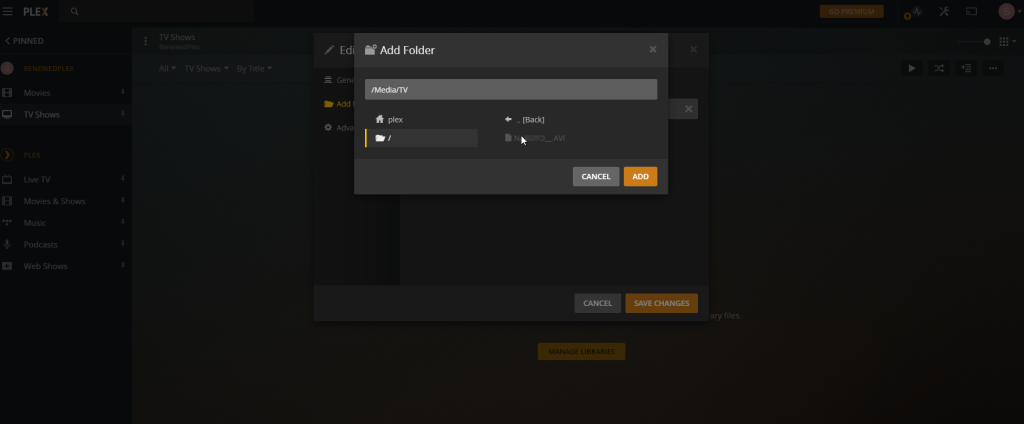
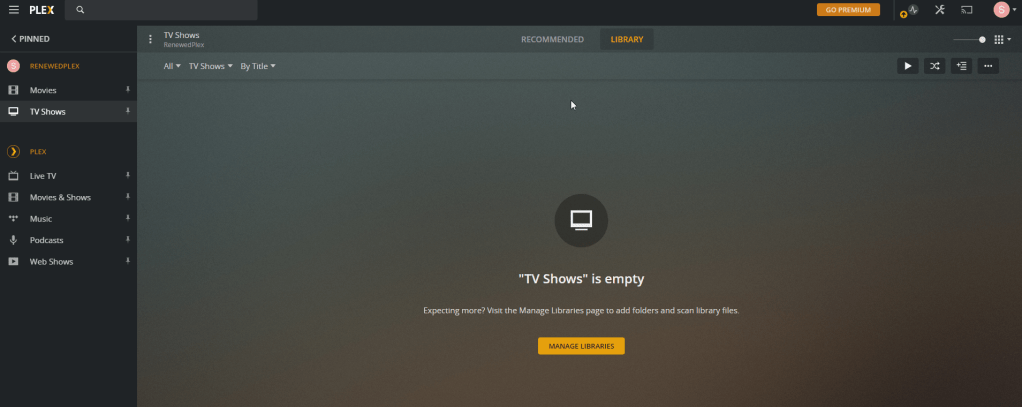
But as you can see, my “TV Shows” portion of my library is empty despite having added that folder. Even after seeking to sync the library again and again. This tutorial looks promising and may have some solutions. I’ve tried renaming files, uninstalling and reinstalling, adjusting where I placed the Media folder, etc., but none of that seemed to fix it.
I’ve spent too many hours on this, but will come back to it at some other point. I have to get back to studying for the A+ certification. This last week or two has had me derailed from that as I tend to go all-in on a project when I’m excited about it.
 Truth & Tech
Leave a comment